
🔗 QR Code Generator
Create high-quality QR codes – ConvertWizardPro
Free vCard Generator – Make, Download & Share Digital Contact Cards
Let’s be honest: nobody likes fumbling for a business card anymore. You know the scene. You’re at a networking event, a coffee meeting, or even a casual meetup. You reach into your pocket, maybe pull out a crumpled piece of paper, or worse, you realize you’ve run out of cards. Then comes the awkward dance of trying to type phone numbers into a phone without making a typo. It’s slow, it’s messy, and frankly, it’s outdated.
That’s exactly why we built this tool. At ConvertWizardPro, we believe sharing your contact information should be as easy as scanning a code or clicking a link. Our Free vCard Generator is designed to cut through the noise and help you share who you are, instantly. No hidden fees, no mandatory signups, and no complicated tech jargon. Just a simple, clean way to create a digital contact card that works on every device.
What Exactly is a vCard?
If you’re wondering what all the fuss is about, a vCard (or VCF file) is basically a digital business card. Instead of carrying paper, you carry a file. When someone opens this file on their phone or computer, it automatically prompts them to save your name, number, email, and even your photo directly into their address book.
Think of it as a bridge between you and your contact. In the past, you’d hand over a card and hope they typed it in correctly later. With a vCard, the process is automated. One tap, and they’re connected. It’s standard technology supported by iPhones, Androids, Outlook, and Gmail, which means you don’t need to worry about compatibility.
Why Switch to Digital Contact Cards?
You might be thinking, “My paper cards work fine.” And sure, they do. But digital cards offer something paper never can: flexibility.
Have you ever changed your phone number or job title? With paper cards, you’d have to throw away hundreds of printed cards and order new ones. That’s expensive and wasteful. With a digital vCard generated here, you can simply create a new file whenever your details change. It’s eco-friendly, cost-effective, and always up to date.
Plus, there’s the “wow” factor. Pulling out a QR code or sending a link feels modern and professional. It shows you care about efficiency and technology. In a world where first impressions count, saving someone the hassle of manual entry is a small gesture that goes a long way.
How to Use This Generator (It’s Simpler Than You Think)
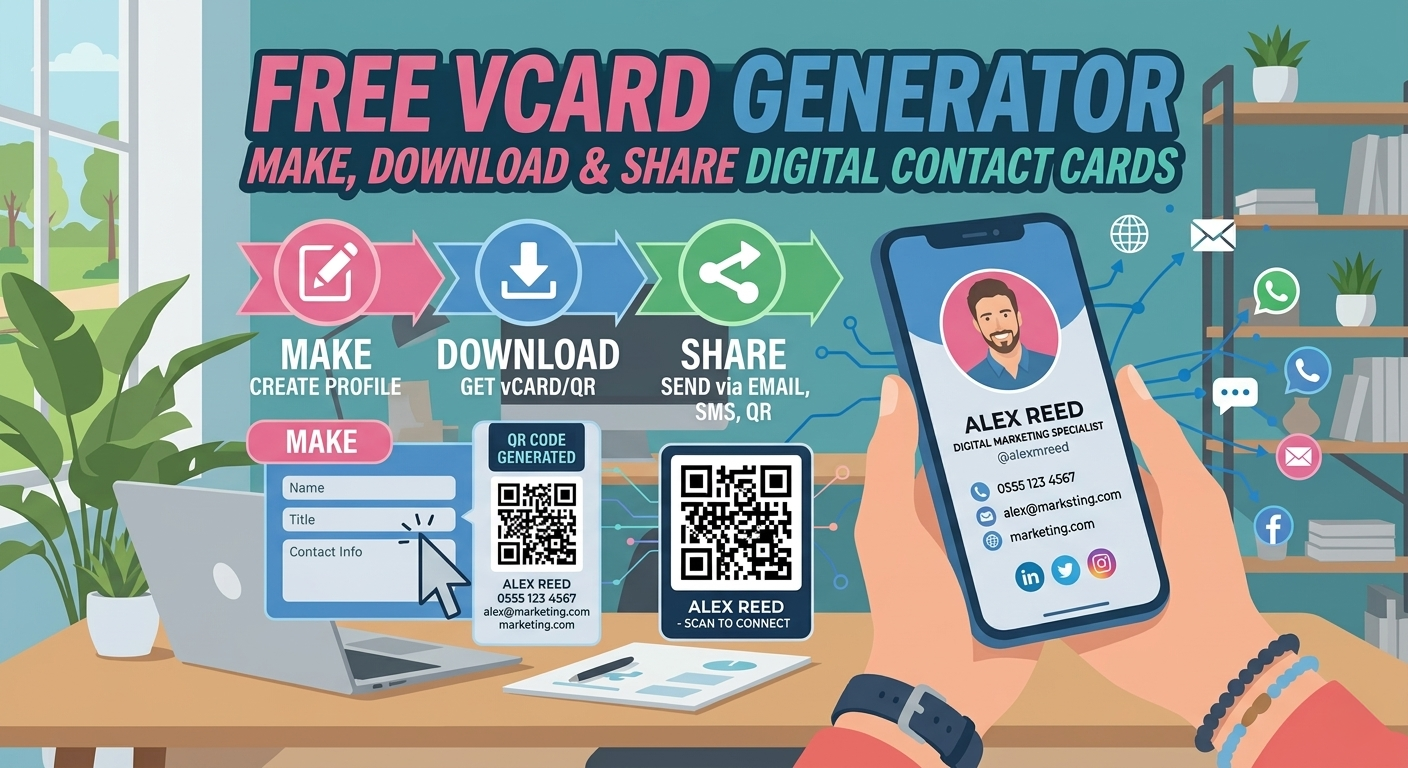
We’ve kept the interface clean because we know you’re busy. You don’t need a tutorial to figure this out, but here’s the quick rundown of how to get your card ready in under two minutes:
- Fill in Your Details: Start by entering the basics. Name, job title, company, phone number, and email are the essentials. But don’t stop there. Add your website, social media links, or even a physical address if you want. The more info you add, the easier it is for people to reach you on their preferred channel.
- Upload a Photo (Optional): Faces are memorable. Adding a professional headshot helps people remember who you are when they see your contact pop up in their phone later. It adds a personal touch to the digital exchange.
- Generate and Download: Once you’re happy with the info, hit the generate button. The system will create a
.vcffile for you. You can download this directly to your device. - Share It: This is where the magic happens. You can email the file, send it via WhatsApp, host it on your website, or turn it into a QR code to print on your existing paper cards. The possibilities are endless.
Best Practices for a High-Converting vCard
Creating the card is easy, but optimizing it takes a little thought. Here are a few tips to make sure your digital card actually gets used:
- Keep It Clean: Don’t overload the card with unnecessary fields. Stick to the contact methods you actually use. If you never check your fax machine (who does?), leave it off.
- Use a Clear File Name: When someone downloads your card, name it something recognizable like
John_Doe_Contact.vcfinstead ofcontact_v1_final.vcf. It looks more professional and helps them find it later. - Test It Yourself: Before you send it out to clients, send it to your own phone first. Make sure all the links work and the photo loads correctly. It’s a small step that prevents embarrassing errors.
- Combine with QR Codes: Many people use our generator alongside a QR code. You can print the QR code on your physical cards or display it on your phone screen at events. When scanned, it triggers the vCard download automatically. It’s the fastest way to network.
Common Questions We Get
Is this really free? Yes. We believe contact sharing should be accessible to everyone, whether you’re a freelancer, a small business owner, or a corporate executive. There are no trial periods or credit card requirements.
Can I edit the card later? The vCard file itself is static once downloaded. However, you can come back to this generator anytime to create a new version with updated details. Since it’s free, there’s no limit to how many times you can generate a new card.
Is my data safe? Absolutely. We don’t store your personal information on our servers longer than necessary to generate the file. Your privacy is a priority, not an afterthought.
Does it work on iPhones and Androids? Yes. The vCard format is a global standard. Whether your contact uses an iPhone, Samsung, Google Pixel, or even an older device, they will be able to open and save the file.
Ready to Ditch the Paper?
Networking is about building relationships, not exchanging paper scraps. By switching to a digital vCard, you’re making it easier for people to stay in touch with you. You’re removing friction from the conversation.
Whether you’re updating your email signature, preparing for a conference, or just want a modern way to share your number with friends, this tool is here to help. Go ahead, try it out. Fill in your details, download your card, and test it out on a friend. You’ll be surprised at how much smoother your next conversation goes.
At ConvertWizardPro, we’re all about making digital tools work for you, not the other way around. So, create your Free vCard today and start sharing your contact info the smart way.